Table of Contents
An X Video Downloader is what you need when you spot that perfect Twitter video but can’t save it.
Twitter doesn’t let you download videos natively. That viral clip, tutorial, or funny GIF you want to keep? Gone the moment you scroll past it.
SocialKing’s Twitter video download tool solves this problem. You don’t need to install apps or create accounts.
This piece shows you how to download videos from Twitter in HD quality using a simple, free Twitter downloader. You’ll learn how to save tweet videos in MP4 format at 720p or 1080p resolution, all within seconds and on devices of all types.

What is X Video Downloader (SocialKing.in)?
SocialKing.in delivers a web-based Twitter downloader that requires zero setup. You access the tool through your browser, paste a tweet URL, and download videos right away.
Free Twitter Video Download Tool
The platform operates as a dedicated Twitter to MP4 converter. Apps clutter your phone storage, but this X Video Downloader works online. You don’t register, install software, or provide credentials.
SocialKing processes tweets containing videos and GIFs. The tool extracts media files whatever their source—native Twitter uploads or external links. If you can watch it on Twitter, you can save it through this platform.
Key Features at a Glance
The Twitter video download service has several practical capabilities:
- Universal device compatibility across smartphones, tablets, and computers
- Multiple quality options for different storage and viewing needs
- Unlimited downloads without daily restrictions or premium tiers
- Direct file access with no watermarks added to your videos
- Quick processing that completes within seconds
- GIF support for animated content from tweets
On top of that, the interface stays clean without aggressive ads or redirect loops that plague similar services.
Supported Video Formats and Quality
SocialKing converts all Twitter videos to MP4 format, which plays on every device and media player. The standard format eliminates compatibility issues you might face with proprietary file types.
Quality selection ranges from 480p to 1080p Full HD. Higher resolutions preserve detail for larger screens, while 720p offers balanced file sizes. The tool detects available quality levels from the source tweet.
You save tweet video files and receive clean MP4 downloads. The platform doesn’t compress or re-encode content, maintaining the original video quality Twitter provides. Audio tracks remain intact at their source bitrate, too.
This Twitter video download HD quality approach means professional content creators and casual users both get acceptable results for their specific needs.
How to Download Twitter Videos in 3 Simple Steps
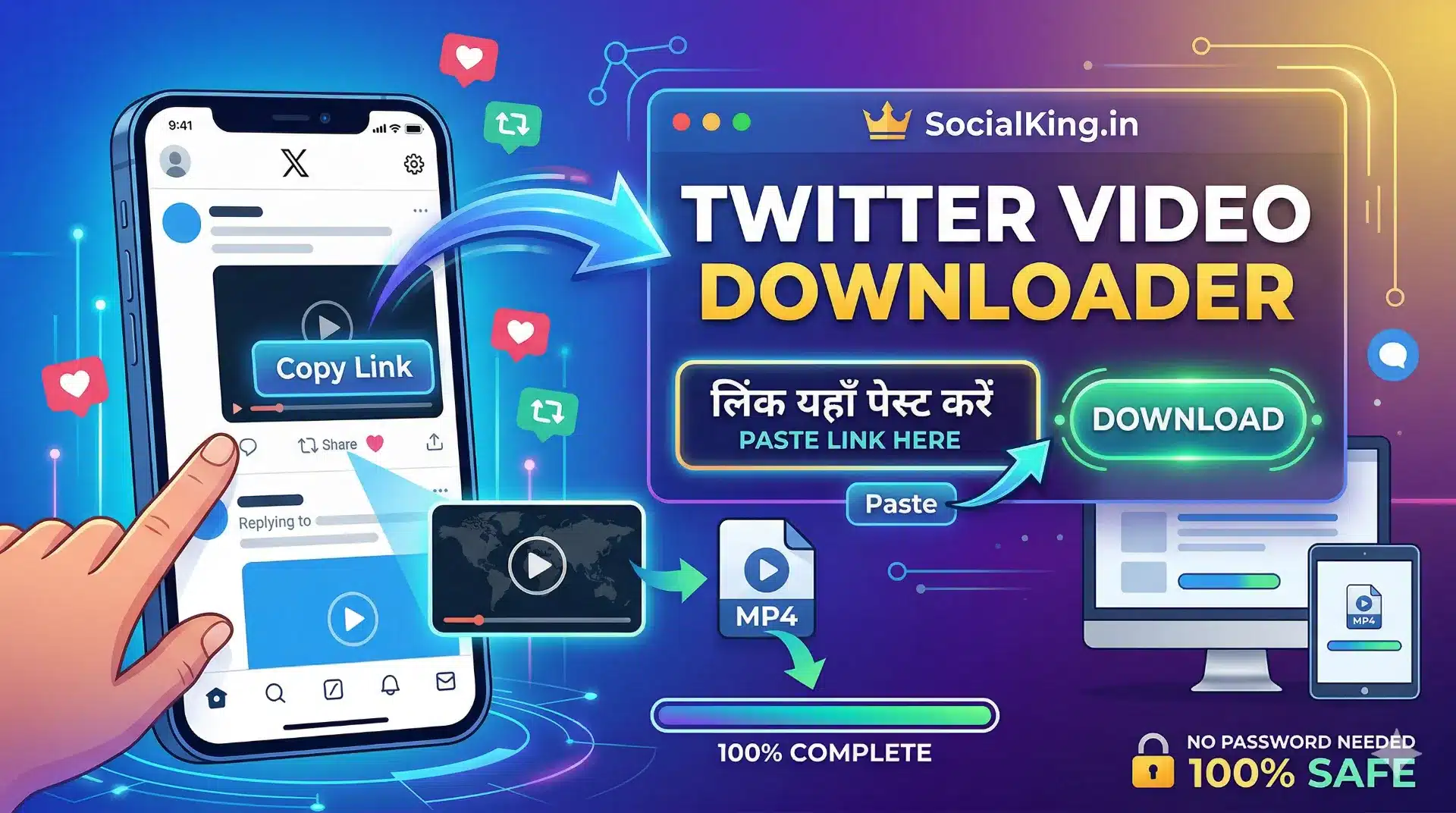
The process takes under a minute once you know where to click. Follow these steps to download Twitter videos using SocialKing’s X Video Downloader.
Step 1: Copy the Tweet Link
Open Twitter (X) on your browser or mobile app. Find the tweet containing the video you want to save. The share icon below the tweet lets you click and select “Copy link” on desktop. Mobile users can tap the share arrow and choose “Copy link to Tweet.”
The URL will look like twitter.com/username/status/numbers or x.com/username/status/numbers. Both formats work with the Twitter downloader. You don’t need to modify or shorten the link.
Step 2: Paste the Link on SocialKing.in
Visit SocialKing.in and locate the Twitter video download tool. You’ll see an input box displayed on the page. Paste your copied tweet URL into this field.
Tap or click the download button next to the input box. The tool processes your link within seconds and analyzes the tweet to extract available video files. No login or verification steps interrupt this process.
Step 3: Select Quality and Download
SocialKing displays available quality options once processing completes. You’ll see choices ranging from 480p to 1080p, depending on the source video’s original upload quality.
Click your preferred quality option. Higher resolutions like 720p or 1080p suit larger screens and professional use, while 480p reduces file size for limited storage. The Twitter video download in HD quality begins right after your selection.
Your browser downloads the MP4 file to your default download folder. Mobile devices store the file in your Downloads folder or Gallery app. The video plays offline without requiring Twitter access and gives you permanent access to save tweet video content for later viewing or sharing outside the platform.

Why Choose SocialKing for Twitter Video Download
Several benefits make this Twitter downloader stand out among countless similar services. These advantages show why SocialKing works better to use on a regular basis.
100% Free with Unlimited Downloads
You won’t hit paywalls or premium upgrade prompts. The X Video Downloader operates free without hidden costs or subscription tiers. Download as many videos as you need throughout the day, week, or month.
Other platforms restrict free users to 5-10 downloads daily and then ask for payment. SocialKing removes these artificial limits. Whether you need one video or fifty, the service costs nothing.
No App Installation or Registration Required
Your device storage stays untouched. Browser-based access means you skip app stores, installation processes, and update notifications. You also don’t create accounts or hand over email addresses.
This approach protects your privacy while saving device memory. Just bookmark the site and access it whenever you need to save tweet video content.
Fast Processing Speed
Link analysis completes within 3-5 seconds. The tool extracts video files faster than most competitors because it uses optimized servers. You’re not waiting 30-60 seconds as progress bars inch forward.
Speed matters when you’re downloading multiple videos. Quick processing lets you grab several clips in the time other services handle one.
Works on All Devices
Desktop computers, Android phones, iPhones, and tablets all work naturally. The responsive design adapts to your screen size. Mobile users get the same full functionality as desktop users.
Cross-device compatibility means you download Twitter videos wherever you spot them, whether browsing on your laptop or scrolling through your phone feed.
High-Quality MP4 Downloads (720p, 1080p)
Video clarity remains sharp at higher resolutions. The Twitter video download HD quality option preserves detail to use professionally or for large-screen viewing. You also choose lower resolutions when file size matters more than maximum sharpness.
MP4 format ensures universal playback across all media players and devices without codec issues.
Safe and Secure – No Login Needed
Zero Twitter credentials requested means your account stays protected. The tool never asks for passwords, authentication tokens, or account access. You maintain complete control over your Twitter security while using this Twitter to MP4 converter.
No login requirement also speeds up the process and eliminates security risks associated with third-party access to social accounts.
Frequently Asked Questions
Common questions arise when using any Twitter video download tool. Here are direct answers to help you get started.
Can I download videos from private Twitter accounts?
No, SocialKing cannot access videos from private or protected Twitter accounts. The X Video Downloader only works with publicly available tweets. But if you follow a private account and can view their content, you still cannot download those videos through this tool. Twitter [Twitter’s privacy policy] restricts external access to private profile content.
Where are downloaded videos saved on my device?
Downloaded videos go to your device’s default download folder. Android phones store files in the Downloads app or File Manager. iPhones save files to the Files app under Downloads. Desktop browsers save to your Downloads folder unless you’ve changed the default location in browser settings.
Is there a limit to how many videos I can download?
Zero restrictions apply. Save tweet video files as many times as you need without daily caps or usage limits.
Do I need to create an account to use this tool?
No account creation required. Access the Twitter downloader without registration or login credentials.
Is it legal to download Twitter videos?
Downloading videos to use personally falls within acceptable practices. Respect copyright and intellectual property rights. Avoid redistributing downloaded content commercially or claiming others’ work as your own.
Conclusion
You now have everything you need to download Twitter videos in HD quality without hassle. SocialKing’s x video downloader gives you unlimited access to save your favorite content free. You skip app installations, account registrations and quality compromises.
The three-step process takes seconds. The Twitter to MP4 conversion works on devices of all types. Bookmark SocialKing.in and start building your offline video collection today.
Key Takeaways
Master the art of saving Twitter videos effortlessly with these essential insights for building your offline content collection:
• Three-step download process: Copy tweet link, paste on SocialKing.in, select quality and download – takes under 60 seconds total
• Completely free with zero restrictions: No account creation, app installation, or daily download limits required
• HD quality preservation: Download videos in MP4 format up to 1080p resolution while maintaining original audio quality
• Universal device compatibility: Works seamlessly across smartphones, tablets, and computers through any web browser
• Privacy-focused approach: No login credentials or Twitter account access required, keeping your social media security intact
This browser-based solution eliminates the frustration of losing great Twitter content while providing professional-quality downloads for personal use. Whether you’re saving tutorials, viral clips, or memorable moments, you now have the tools to build a permanent offline video library without technical barriers or costs.

Social King Team
SocialKing Team is a dedicated group of social media experts and developers committed to building tools and strategies that empower creators and businesses. With combined expertise spanning social media growth, content optimization, algorithm research, and platform-specific strategies, the SocialKing team regularly shares actionable insights, product updates, and industry trends through our blog. Our mission is to make social media success accessible, transparent, and effective for everyone.
Get social growth tips in your inbox
Join the SocialKing newsletter — no spam, unsubscribe anytime.


